
How to Buy Cryptocurrencies on BitOasis Lite
A step-by-step guide to purchasing your digital assets quickly and easily
BitOasis Lite offers a simple and efficient way to buy cryptocurrencies. Whether you're growing your portfolio or making your first purchase, follow the four easy steps below to complete your buy order in minutes.
Go to the Buy Section
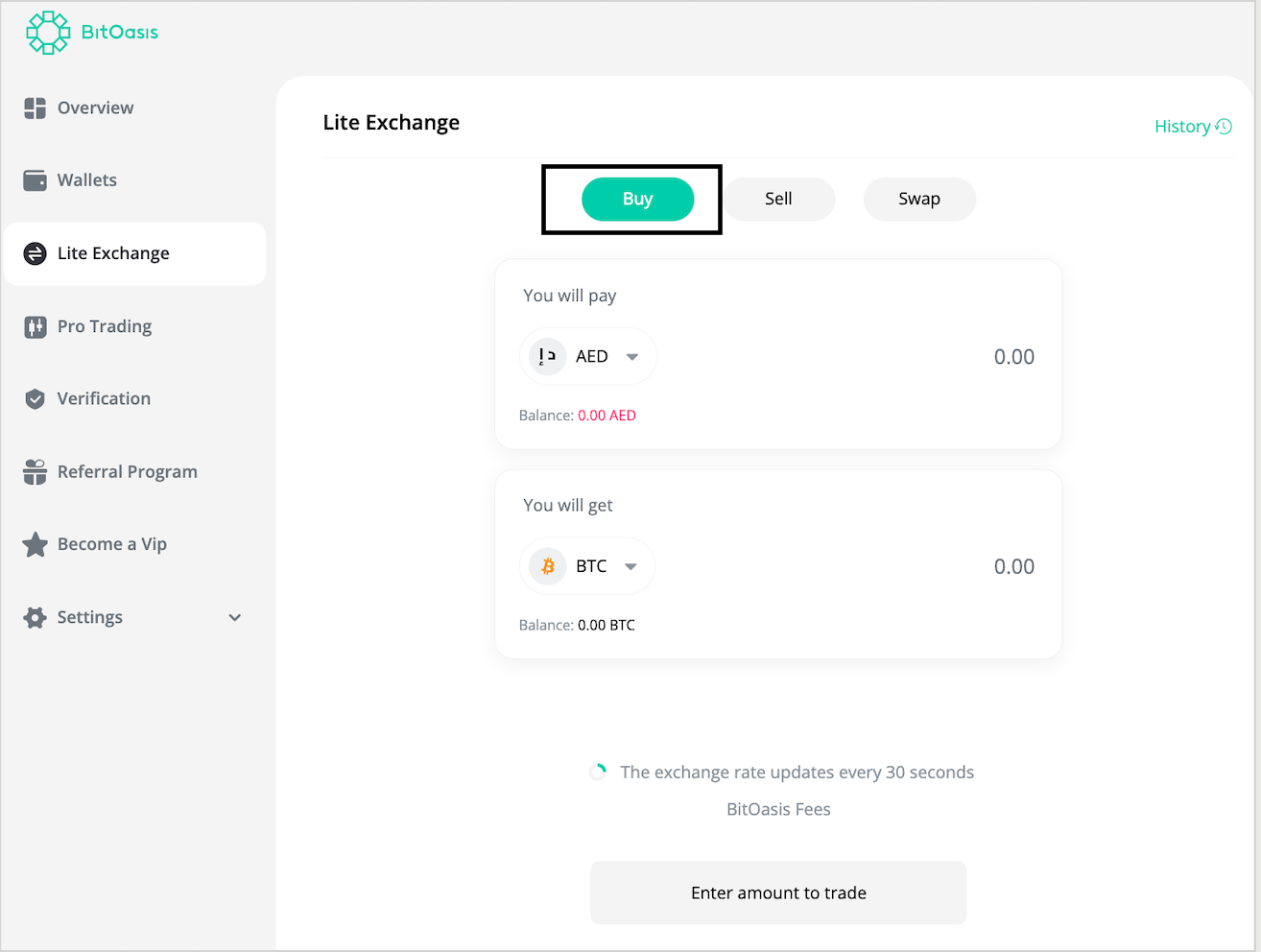
Log in to your BitOasis Lite account. From the dashboard, navigate to the left menu and select Buy under the Buy/Sell section.
Select a Pair & Enter Amount
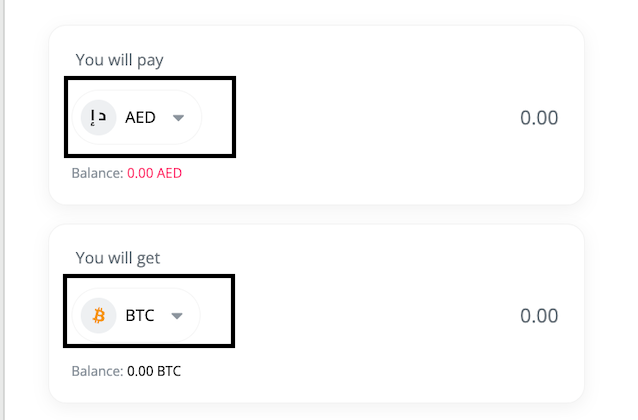
Choose the cryptocurrency pair you want to buy from the drop-down menu (e.g. BTC-AED). Enter the amount you wish to buy, then click the Buy button.
Review & Confirm Your Transaction
A summary page will appear showing the full details of your transaction — including the amount purchased, the exchange rate, and any applicable fees. Review everything carefully, then click "Go to My Transactions" to confirm and proceed.
Transaction Complete!
Your purchase has been successfully completed. The cryptocurrency will be reflected in your crypto wallet. You can view the full transaction details anytime under My Transactions.
? Helpful Tips
- Make sure your AED wallet is funded before initiating a buy order.
- The exchange rate displayed is live and may fluctuate — confirm quickly to lock in the shown rate.
- Purchased crypto will appear in your crypto wallet and can be managed from your dashboard.
- Need to track your purchases? Head to My Transactions for a full history of all your orders.